The Ultimate Reseller's Guide to Vintage Video Game Consoles: Identify, Restore, Profit!

The world of vintage video game consoles is a vibrant, nostalgic, and incredibly profitable market for e-commerce resellers. What was once a child's toy is now a cherished collectible, a piece of technological history, and a gateway to countless memories. From the iconic click of an Atari 2600 cartridge to the unforgettable theme of Super Mario Bros. on the NES, these machines hold immense sentimental and monetary value. As an expert SEO copywriter and seasoned e-commerce reseller, I'm here to guide you through the intricate world of vintage console reselling, helping you transform forgotten relics into sought-after treasures.
This comprehensive guide will equip you with the knowledge to identify authentic consoles, assess their true condition, price them strategically, and get them safely into the hands of eager collectors, ensuring you maximize your profits every step of the way.
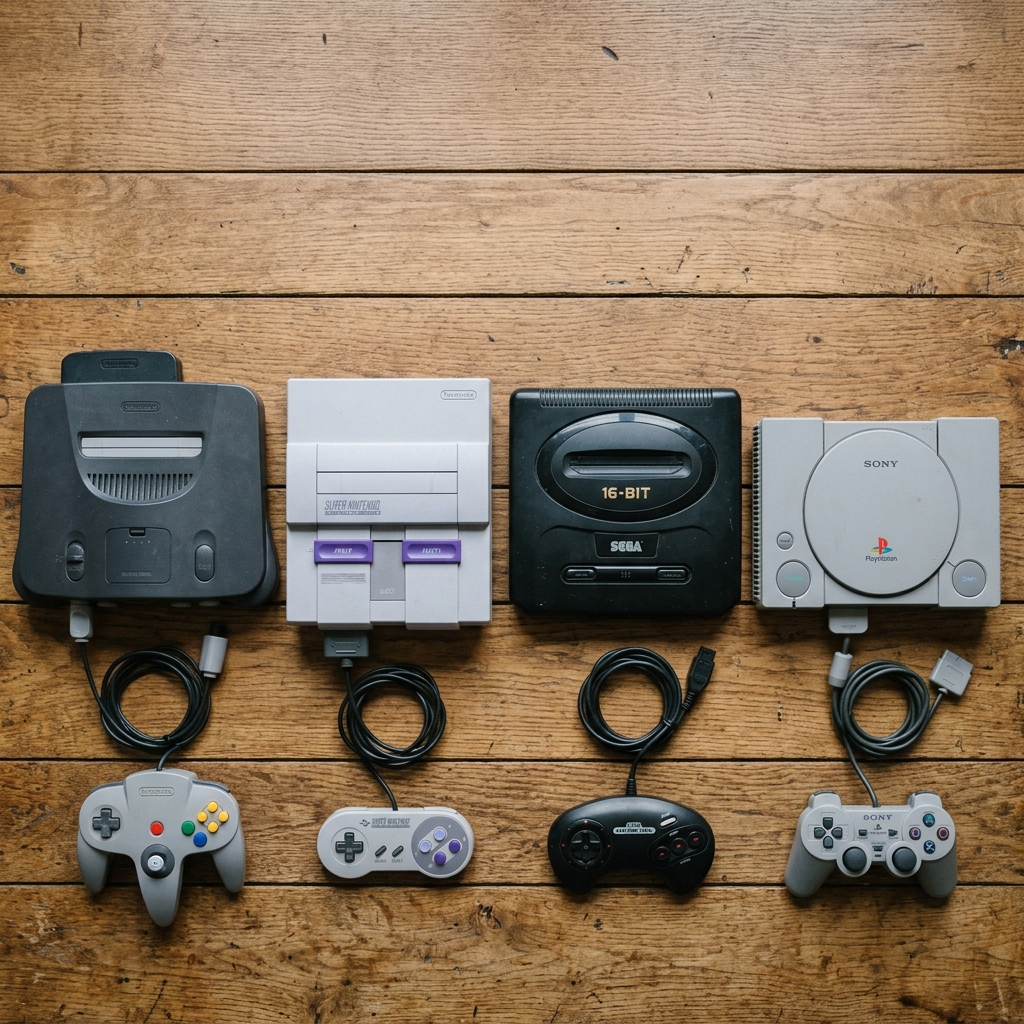
The Hunt Begins: Identifying Authentic & Valuable Vintage Video Game Consoles
The first step in profitable reselling is knowing what you have. Not all old consoles are vintage, and not all vintage consoles are created equal. Understanding the nuances of authenticity and value is paramount.
Know Your Eras & Generations
"Vintage" in the console world typically refers to systems from the early days up through roughly the sixth generation (early 2000s). Familiarize yourself with the key players:
- First Generation (1972-1980): Magnavox Odyssey, Atari Pong systems. Primitive but historically significant.
- Second Generation (1976-1992): Atari 2600, Intellivision, ColecoVision. The dawn of interchangeable cartridges.
- Third Generation (8-bit, 1983-2003): Nintendo Entertainment System (NES), Sega Master System. Iconic and highly collectible.
- Fourth Generation (16-bit, 1987-2004): Super Nintendo Entertainment System (SNES), Sega Genesis. The console wars truly began here.
- Fifth Generation (32/64-bit, 1993-2007): PlayStation (PS1), Nintendo 64 (N64), Sega Saturn. The transition to 3D gaming.
- Sixth Generation (128-bit, 1998-2013): PlayStation 2 (PS2), Xbox, Nintendo GameCube, Sega Dreamcast. Still modern enough to be widely playable, but rapidly gaining vintage status.
While some newer systems like the original Xbox 360 or PS3 might be considered "retro" by some, the true "vintage" collector market primarily focuses on the generations listed above.
Spotting Authenticity & Originality
Authenticity isn't just about whether the console works; it's about its originality and how much it has been tampered with or replaced.
- Serial Numbers & Labels: Every console has a serial number, often on a sticker on the bottom or back. Check if these stickers are intact, legible, and match any internal components if you're comfortable opening the console (though for most resellers, external verification is sufficient). Faded, peeling, or missing labels can slightly diminish value.
- Manufacturer Logos: Ensure all brand logos (Nintendo, Sega, Sony, Microsoft, Atari, etc.) are present, clear, and unblemished. Faded or scuffed logos can indicate heavy use or poor storage.
- Original Accessories: The presence of original power adapters, A/V cables, and controllers significantly adds to value. Aftermarket replacements are common but less desirable to collectors. Look for brand markings on these accessories.
- Case Integrity: Examine the plastic casing for signs of opening or modification. Are the screws original? Are there pry marks around seams? While some systems benefit from internal cleaning or minor repairs, a console that appears undisturbed holds higher appeal.
Valuable Variations & Special Editions
Beyond the standard gray box, certain variations command premium prices.
- Color Variants: Many consoles were released in special colors. Examples include the Nintendo 64's "Funtastic" series (Jungle Green, Grape, Ice Blue, etc.), the GameCube's Spice Orange or Indigo, or specific PlayStation 2 colors. Always research these variations as they can drastically increase value.
- Limited Editions & Bundles: Consoles bundled with specific games (e.g., Ocarina of Time N64 bundle) or commemorating events (e.g., PlayStation 2 Satin Silver Edition) are highly sought after. Look for original box art referencing these bundles.
- Japanese Imports (JDM): Japanese versions of consoles sometimes feature unique designs, different branding, or were released in colors unavailable elsewhere. Be aware of region locking (e.g., Japanese NTSC-J consoles won't play US NTSC-U/C games without modification) and voltage differences if you intend to test them.
- Launch Editions/Early Models: Early production runs or launch day consoles can sometimes be identified by low serial numbers or slight hardware differences. These are niche collector items but worth noting.
- New Old Stock (NOS)/Sealed in Box (SIB): The ultimate find. A console still factory-sealed in its original packaging is exceptionally rare and commands astronomical prices. Verify the seal's authenticity carefully.
The Condition Report: Checking for Flaws & Ensuring Functionality
Condition is king in the vintage console market. A non-functional console or one in poor cosmetic shape will sell for a fraction of a fully working, well-preserved unit. Thorough inspection and testing are non-negotiable.
External Examination – The Visual Cues
Start with a detailed visual inspection.
- Cosmetics:
- Scratches/Scuffs: Minor surface scratches are common. Deep gouges or significant wear will reduce value.
- Yellowing: Common on ABS plastic (especially SNES, NES, some Game Boys). Assess the severity. While "Retrobrite" treatments exist, an un-yellowed console is always preferred.
- Cracks/Chips: Any cracks, even hairline ones, in the plastic casing are significant flaws.
- Sticker Residue/Graffiti: Cleanable, but note for description.
- Ventilation Grilles: Check for dust buildup, which can indicate poor maintenance and potential overheating issues.
- Port Integrity: Examine all ports – controller ports, power input, A/V outputs, cartridge slots, disc trays.
- Are controller pins bent or corroded?
- Is the power port loose or damaged?
- Are the A/V output pins clean and straight?
- For cartridge slots, look for bent pins or excessive dust.
- For disc trays, check for smooth operation and any obstruction.
- Buttons/Switches: Test the power button, reset button, eject button, and any other switches for responsiveness. Do they stick? Do they click properly?
- Controller Condition: Inspect controllers for:
- Cable Fraying: Very common. Significant fraying near the console or controller connection can indicate imminent failure.
- Joystick Drift/Looseness: Especially critical for N64 and early analog controllers. Test responsiveness.
- Button Responsiveness: Are all buttons (A, B, Start, D-pad, shoulder buttons) firm and responsive?
- Shell Condition: Scratches, cracks, yellowing.
Internal Health & Functionality Testing (Crucial!)
This is where the real value is determined. A console that doesn't power on or play games is essentially "for parts."
- Power On Test:
- Connect the power supply and, if applicable, an A/V cable to a compatible display.
- Power on the console. Does the power indicator light illuminate? Do you hear any fans or disc drive spin-up?
- For disc-based systems, open and close the disc tray/lid several times.
- Video/Audio Output:
- Ensure you get a clear video signal and distinct audio on your display. Test all available A/V outputs if multiple are present (e.g., RCA, S-Video).
- A snowy picture or no signal can indicate bad A/V ports or internal issues.
- Game Play Test:
- Cartridge Consoles (NES, SNES, N64, Genesis, Atari): Insert a clean, known-good game cartridge. Does it load? Play for a few minutes. Check if save functionality works (if applicable).
- Disc Consoles (PS1, PS2, Dreamcast, Xbox, GameCube): Insert a clean, known-good game disc. Does it read the disc? Does the game load promptly? Play for 5-10 minutes to ensure consistent performance. Listen for excessive grinding or loud laser movements.
- Controller Port Test: Plug in a controller into each port. Does the console recognize the controller? Test all buttons and joystick movements for each controller port.
- Memory Card Slots: Insert a memory card. Does the console recognize it? Can you save and load data?
Common Flaws & Repairability
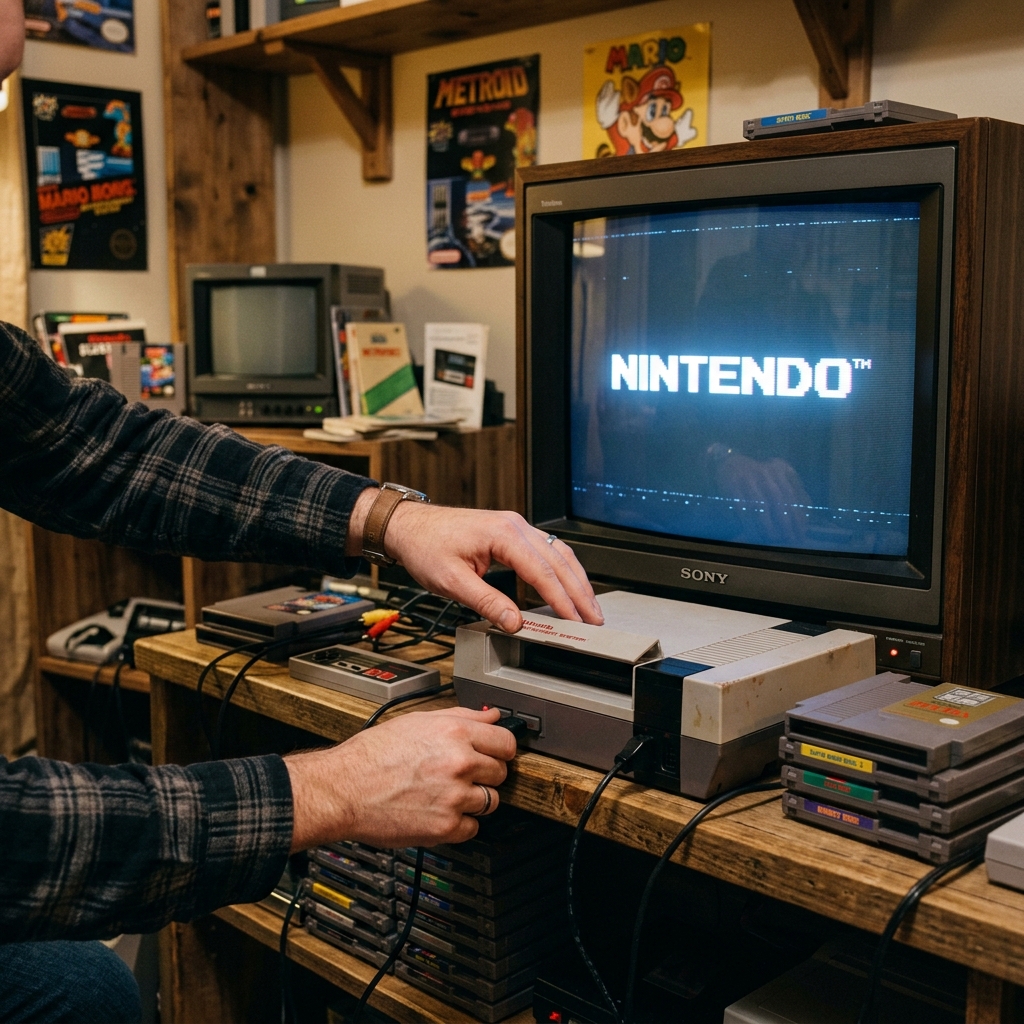
Be aware of recurring issues that may or may not be easily fixable.
- Yellowing: Cosmetic, can sometimes be reversed with "Retrobrite" but not always perfectly.
- Capacitor Leaks/Failure: Especially in older systems (NES, SNES, Genesis, Game Gear). Can cause power issues, audio/video problems, or complete failure. Often requires professional desoldering/resoldering of new capacitors.
- NES "Blinking Light Syndrome": Caused by a worn 72-pin connector. Easily replaceable with a new aftermarket part.
- Disc Drive Issues: Laser failure, disc tray motors failing, or "read errors" are common in all disc-based systems. Sometimes a laser adjustment or cleaning works; other times, replacement is needed.
- N64 Joystick Wear: The N64's analog stick mechanism is prone to wearing out, leading to looseness or drift. Replacement joystick modules are available.
- Power Supply Failure: Can be external (the power brick) or internal. Test with a known-good power supply if you suspect this.
Mastering the Market: Pricing Strategies for Maximum Profit
Pricing your vintage console correctly is a blend of art and science. Too high, and it sits; too low, and you leave money on the table.
The Power of Sold Comps (eBay & Beyond)
Your primary research tool for pricing should always be "sold comparables" (comps).
- eBay Sold Listings: This is the gold standard. Go to eBay, search for your exact console (e.g., "Nintendo 64 console funtastic blue"), then filter by "Sold Items" and "Completed Items."
- Analyze Recently Sold Items: Look at listings that sold recently (within the last 90 days).
- Match Condition: Compare your item's condition, included accessories (controllers, cables, games), and specific variations to the sold listings. A console with all original cables and two controllers will sell for more than a bare console.
- Auction vs. Buy It Now: Auctions can sometimes net higher prices for rare items, but Buy It Now with "Best Offer" is often more consistent.
- PriceCharting.com: An invaluable resource for video game and console pricing. It aggregates data from multiple marketplaces to give a comprehensive average price for "new," "loose" (console only), and "CIB" (complete in box) conditions. Use this as a strong guideline.
- Other Platforms: Check sold listings on Mercari, Facebook Marketplace (if available in your area), and specialized forums like Reddit's r/GameSale.
Current Market Value & Trends
Prices for vintage consoles aren't static. Several factors can influence them:
- Seasonality: Prices often tick up during holiday seasons (Christmas, Father's Day) or during summer breaks when people have more leisure time.
- Media Attention: A popular YouTube video, documentary, or retro gaming convention can temporarily spike interest and prices for certain systems.
- Scarcity: Truly rare items, especially those in excellent condition or special editions, will always command a premium.
- Economic Factors: Disposable income for hobbies can affect the market.
- "Grading" Impact: While most resellers won't deal with WATA or CGC graded items, their existence for high-end sealed games and consoles sometimes creates a trickle-down effect on the loose market by legitimizing the collecting hobby.
Pricing Your Item – The Sweet Spot
Once you've done your research, decide on your pricing strategy.
- Aggressive for Quick Sale: If you need to move inventory quickly, price slightly below the average sold comp for similar condition.
- Competitive with "Best Offer": List at the average or slightly above, but enable "Best Offer." This allows you to negotiate and still potentially get your desired price.
- Bundling for Value: Often, selling a console with a controller and a popular game (even a common one) will net you more than selling the console alone, as buyers prefer complete sets.
- Factor in All Costs: Don't forget to account for platform fees (eBay, Mercari), shipping supplies, and the time you've invested.
- "As-Is/For Parts" Pricing: If a console is non-functional or has major issues, clearly state this. Price it significantly lower, targeting repair enthusiasts or those needing spare parts. Be honest and detailed about its flaws.
From Listing to Living Room: Platforms & Shipping Secrets
You've identified, tested, and priced your console. Now, it's time to sell it and ship it safely.
Best Platforms for Vintage Consoles
Choosing the right platform can impact your reach, sale price, and fees.
- eBay:
- Pros: The largest marketplace with the broadest reach. Ideal for rare, high-value, or auction-style listings. Robust buyer/seller protection (though leaning heavily towards buyers).
- Cons: Higher fees (typically 12.9% + $0.30 final value fee on total sale, including shipping). High competition.
- Tips: Invest in high-quality photos (multiple angles, powered on, showing included accessories). Write detailed, keyword-rich descriptions using SEO best practices. Clearly state condition, what's included, and your return policy.
- Mercari:
- Pros: Simpler interface, lower fees (10% + $0.50 processing fee). Growing audience, good for mid-range value items.
- Cons: Smaller audience than eBay. Often attracts buyers looking for slightly lower prices.
- Tips: Focus on clear photos and concise descriptions. "Smart pricing" feature can help with quick sales.
- Facebook Marketplace / Local Pickup:
- Pros: Zero selling fees. Cash in hand. No shipping hassle. Ideal for heavy or fragile items where local inspection is beneficial. Good for bundles.
- Cons: Limited local reach. Higher potential for no-shows or lowball offers. Less buyer/seller protection than online platforms.
- Tips: Meet in a public place. Take good photos. Be prepared to answer questions and potentially demonstrate functionality.
- Specialized Forums/Communities (e.g., Reddit r/gamesale, vintage console collector forums):
- Pros: Highly targeted audience of knowledgeable collectors. Can sometimes yield better prices for specific, rare items.
- Cons: Smaller audience. Often requires an established reputation or history within the community. Payment processing might be less streamlined (e.g., PayPal Goods & Services).
- Poshmark: While Poshmark allows electronics, it's primarily a fashion-focused platform. It's generally less ideal for vintage video game consoles due to the target audience and shipping limitations for heavier items.
Packaging for Perfection: Shipping Your Console Safely
Proper packaging is crucial to prevent damage in transit, which can lead to costly returns and negative feedback.
- Choose the Right Box: Always use a sturdy, double-walled corrugated box, especially for heavier consoles like a PS2 or Xbox. Ensure there's at least 2-3 inches of space on all sides for cushioning.
- Wrap the Console Individually: Use several layers of large-bubble wrap to fully encase the console. Secure it with packing tape. For disc-based systems, secure the disc tray with a piece of cardboard or tape to prevent it from opening during transit.
- Protect Accessories: Wrap controllers, power bricks, and cables individually in smaller bubble wrap or soft packing material to prevent scratching and entanglement.
- Void Fill: Use plenty of packing peanuts, air pillows, or crumpled kraft paper to fill all voids in the box. The goal is to prevent any movement of the contents once the box is sealed. Shake the box gently – if you hear or feel movement, add more packing material.
- Seal Securely: Use high-quality packing tape (not Scotch tape) to seal all seams and flaps of the box. Apply multiple strips for extra security.
- "Fragile" Stickers: While carriers don't always treat "fragile" packages differently, it doesn't hurt to add them as an extra visual cue.
Choosing the Right Carrier & Insurance
- USPS Priority Mail: A good option for lighter consoles (NES, SNES, N64). Includes up to $100 insurance. Generally reliable.
- UPS Ground / FedEx Ground: Preferred for heavier, bulkier consoles (PS2, Xbox, original PlayStation). Often offers more robust tracking and handling, though can be pricier.
- Insurance is Key: Always insure items over a certain value (e.g., anything above $100-$150). Factor the cost of insurance into your selling price or shipping fees. This protects you financially if the item is lost or damaged.
- Signature Confirmation: For high-value sales (over $250-$500), consider adding signature confirmation. This protects you against "item not received" claims, as it proves delivery to the buyer's address.
- Calculated Shipping vs. Flat Rate: For consoles, especially heavier ones, calculated shipping is usually best. This ensures the buyer pays the actual shipping cost based on their location, rather than you undercharging or overcharging.
PRO TIP: Make sure you have the right shipping supplies on hand. 📦 Buy Shipping Poly Mailers on Amazon Here
Reselling vintage video game consoles can be a deeply rewarding and profitable venture. By diligently following these expert guidelines on identification, condition assessment, strategic pricing, and secure shipping, you'll be well on your way to building a successful e-commerce business and helping fellow enthusiasts relive their favorite gaming memories. Happy hunting!